



The short answer: in our October 2026 Free Plan test, V6 Mini required little setup and returned two different candidates from one submission. Its strongest use case is rapid song ideation. Its limits are interpretive musical control, an unclear per-song credit cost, non-commercial Free Plan rights, and an audio-first workflow that still needs a visual step for a full MV.
By Enkio Editorial Team · Last updated October 22, 2026
How We Tested Suno
Suno is an AI music generator for creating a full track from written direction. We used a mixed-evidence method: one direct generation test for workflow observations, plus Suno's official pricing, Help Center, and Terms for plan and rights claims. The test ran on October 21, 2026 at about 1:00 p.m. New York time, using a Mac and Chrome in the US market. The account was on the publicly available Free Plan, the generated result was labeled V6 Mini, and all optional controls stayed at their defaults.
The sample was one prompt workflow, not a benchmark. We did not score audio across genres, measure repeated-run reliability, or audit every lyric line. We report this run without turning its timing into a universal speed claim. Readers interested in the broader model change can use our Suno v6 Review.
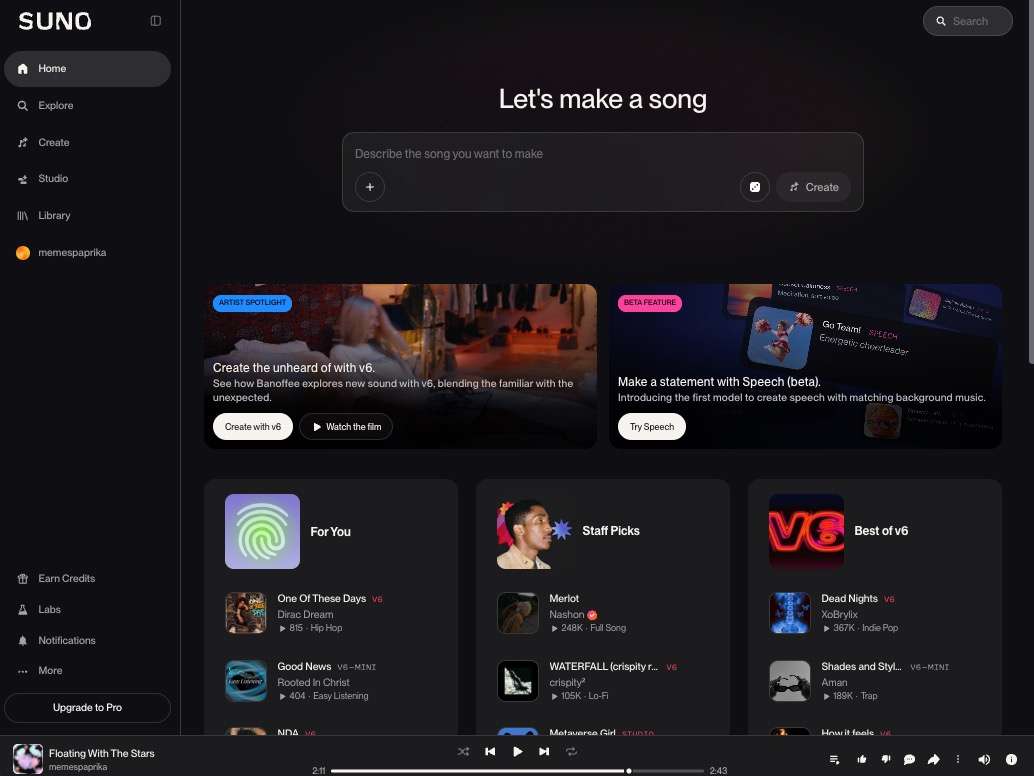
This review focuses on that core generation experience, not every editing or studio feature. If you want the click-by-click process rather than the buying decision, our guide on How to Use Suno AI Music Generator covers the operational workflow separately.
The exact task
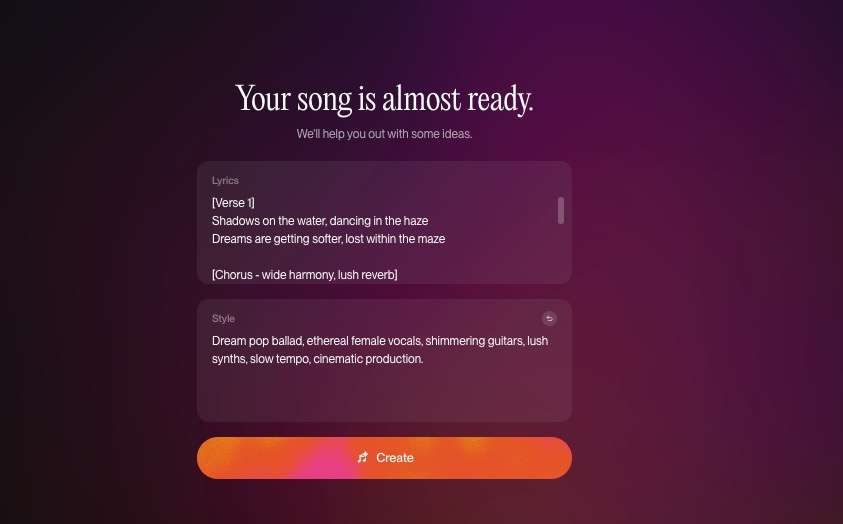
The style field contained: “Dream pop ballad, ethereal female vocals, shimmering guitars, lush synths, slow tempo, cinematic production.” The lyrics used labeled Verse, Chorus, Bridge, and Outro sections, including the chorus line “Floating with the stars above, we own the night.” We left Suno's other settings unchanged to observe the default automation rather than optimize the result manually.
Evidence we retained
The public Suno artifact is share ID UfJRrydvaEBEMIm8. Its page identifies the song as “Floating With The Stars,” records a duration of 159.28 seconds, labels the model V6-MINI, and retains the submitted lyrics in its metadata. Those fields verify the artifact and test setup. They do not prove that every lyric was sung correctly, because we have not completed a line-by-line listening audit.

What Happened in the Suno Review Test
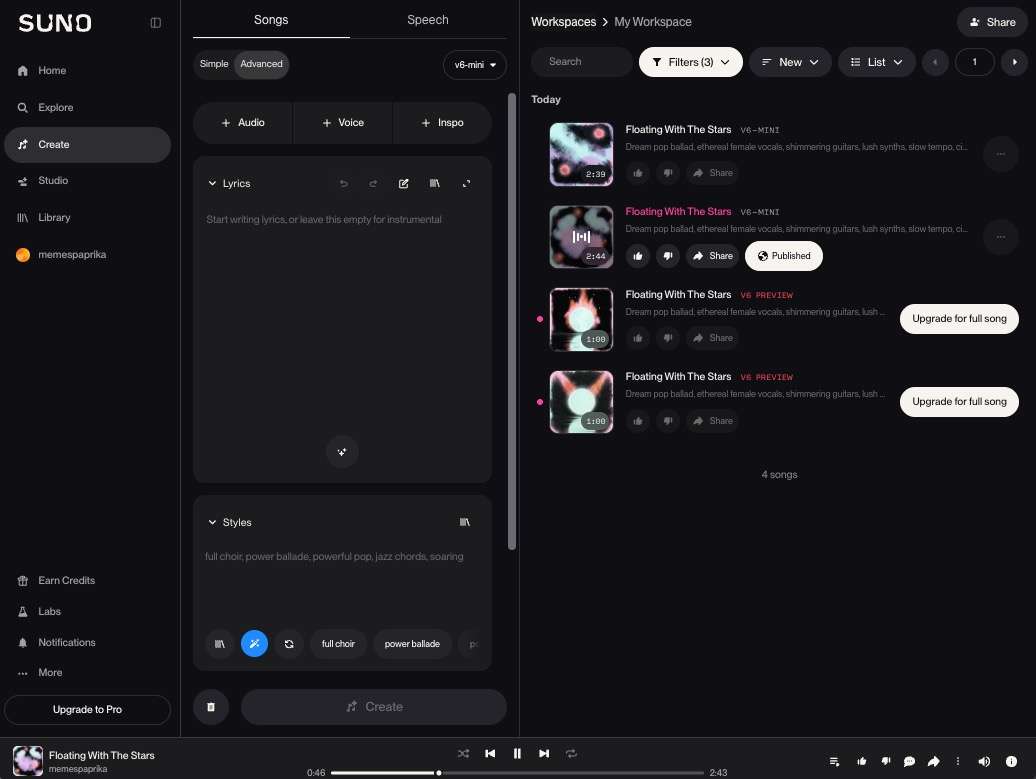
Suno returned two candidates from the single submission. They shared the same title and cover image, but the melodies differed. The two tracks ran 2:39 and 2:44, a five-second difference. That output pattern gave us an immediate choice between interpretations without rewriting the prompt.
As of October 2026, the result appeared in roughly 10 seconds in this run. For the same task, we compared Suno with Enkio, which returned one 2:06 track in roughly 15 seconds and deducted 30 credits. Suno did not show a clear per-song deduction, so we could not calculate a comparable generation cost. Network conditions, queue load, account state, and product builds were not controlled; the timing is an observation, not a ranking.
| Observed field | Suno Free Plan test | Enkio |
|---|---|---|
| Input structure | Style and Lyrics in separate fields | Full instruction in one prompt field |
| Submissions | One | One |
| Returned songs | Two candidates | One candidate |
| Representative duration | 2:39 and 2:44 | 2:06 |
| Approximate wait in this run | About 10 seconds | About 15 seconds |
| Credit visibility | No clear per-song deduction shown | 30 credits for the returned song |
| Public evidence | Suno share page available | No public link; local version |
What Suno Gets Right: My Review Details
This one-run review supports three practical strengths.
It reduces setup before the first listen
The tested workflow needed only a style description and lyrics. Keeping those inputs separate made the intention easy to inspect before generation, while the default settings handled the remaining choices. For a writer, marketer, or beginner who wants to hear an idea before learning production software, that is a meaningful reduction in setup.
One submission offered two interpretations
The two candidates used the same title, cover, and lyrical brief but differed melodically. That makes the first generation useful as a selection step, not merely a pass-or-fail result. It does not establish that every submission will return two candidates, but it was useful in this test.
The free entry point is useful for evaluation
As of October 2026, Suno lists the Free Plan at $0 with 50 credits per day and a shared generation queue. This is enough to examine the interface and make test songs before choosing a subscription. The trade-off is rights: Free Plan outputs are limited to personal, non-commercial use under Suno's published rules. If you are comparing the creation experience with another music-first tool, our Udio AI Music Generator Review uses a separate decision frame rather than assuming one winner.
Pricing, Credits, and Commercial Rights
As of October 2026, Suno's plans separate generation credits from download allowances. The figures below were checked against Suno's Pricing page on October 22; taxes may be additional, and the lineup can change.
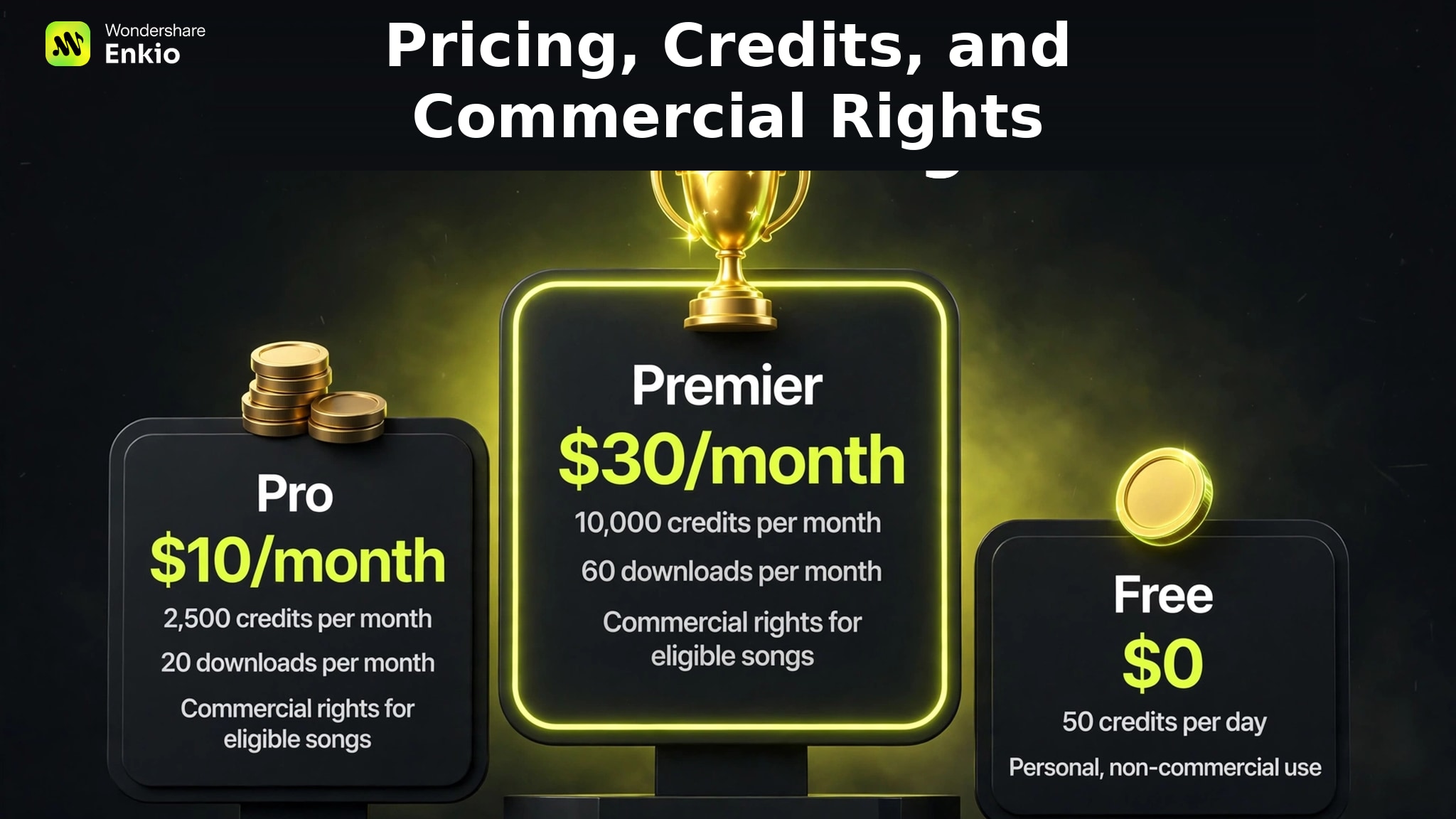
| Plan | Price | Included credits | Download allowance | Published use condition |
|---|---|---|---|---|
| Free | $0 | 50 per day | No fixed monthly allowance; trial downloads may appear | Personal, non-commercial use |
| Pro | $10/month or $96/year | 2,500 per month | 20 per month | Commercial rights for eligible songs created while subscribed |
| Premier | $30/month or $288/year | 10,000 per month | 60 per month | Commercial rights for eligible songs created while subscribed |
At monthly billing, the listed allowance works out to about $0.004 per Pro credit and $0.003 per Premier credit. Those are costs per included credit, not costs per finished song: the tested interface did not expose a reliable per-song deduction, so a song-level price would be false precision. The 20- and 60-download caps also mean that generation capacity and export capacity are separate planning limits.
The rights rule deserves more attention than the headline price. Suno's Help Center states that Free Plan songs are for personal, non-commercial use. Eligible songs created while a user is subscribed to Pro or Premier may receive commercial-use rights under the current terms and permitted download process. Upgrading later does not automatically grant those rights to songs previously made on the Free Plan. Commercial permission also does not establish copyright eligibility in every jurisdiction. Users retain the lyrics they wrote themselves. These points come from Suno Help Center articles 9601601, 9601665, 2425729, 2416769, and 2478401, together with the Terms effective September 3, 2026, all accessed October 22, 2026.
Compare the workflow, not only the monthly price.
Check the current Enkio plan, credit pool, and included features before deciding where your song and video should live.
Real Limitations
This run also exposed three decision limits.
The actual generation cost was not transparent in our run
As of October 2026, Suno publishes plan-level credits, but the Free Plan interface we tested did not give us a clear single-song deduction to record. That prevents a defensible “cost per song” comparison. Buyers who generate at volume should record their own balance before and after a typical task instead of dividing the subscription price by an assumed song count.
No visualization option for your generated songs
Suno solved the song-generation task in our test, but a finished promotional asset often needs full visuals, a sequence of scenes, and a platform-ready aspect ratio. If your next step is a complete MV, an Enkio handles a different part of the workflow (see detailed comparison in the next part).
You can also review Alternatives to Suno AI Music Generator when you need a different music-creation workflow rather than a visual extension.
How Suno Compares With Enkio: Which is Better?
As of October 2026, the products overlap at music generation but diverge after the track exists. The table uses our October 21 task and current verified product facts.
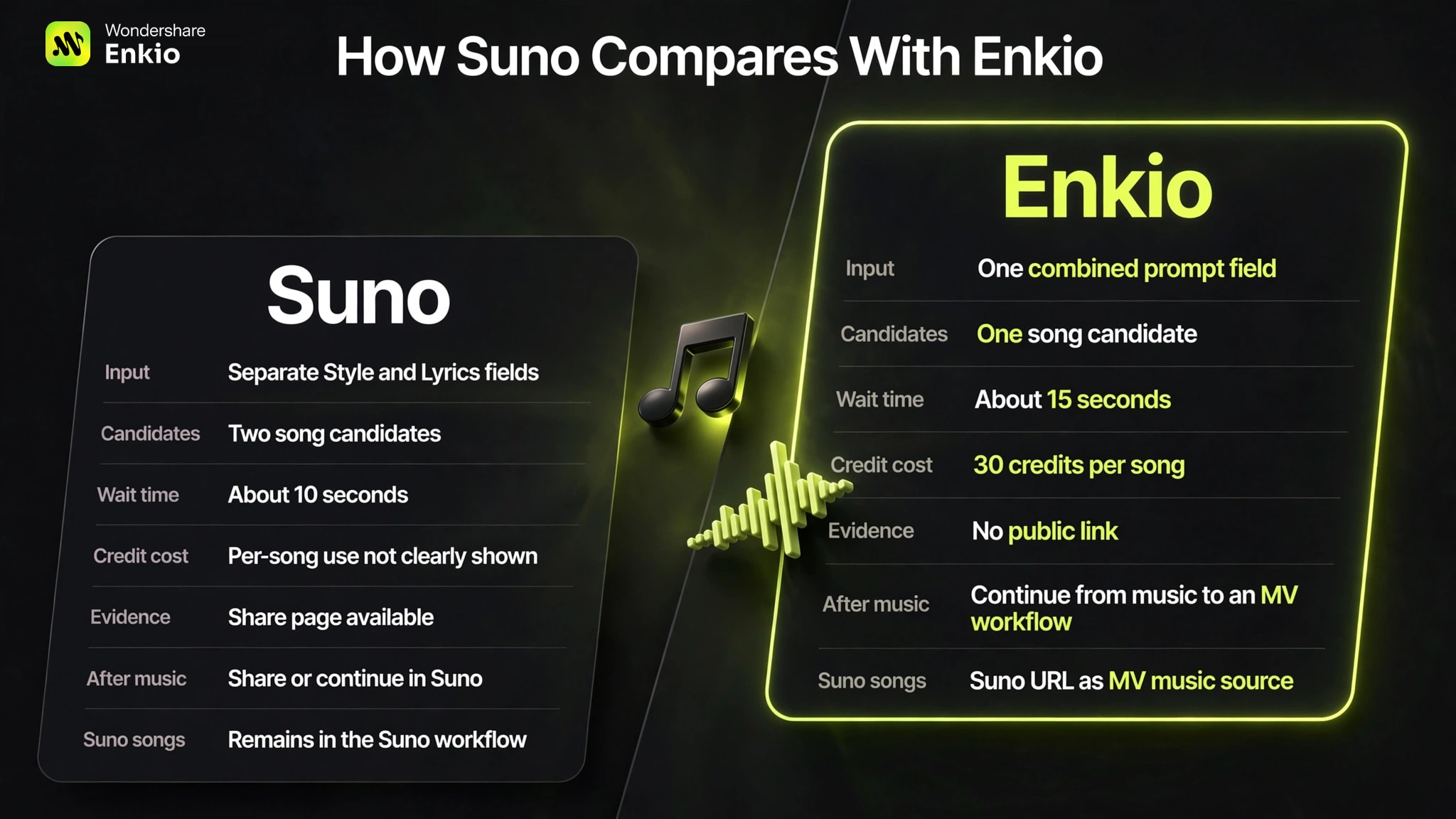
| Decision point | Suno | Enkio |
|---|---|---|
| Music input in this test | Separate Style and Lyrics fields | One combined prompt field |
| Result shape in this test | Two song candidates | One song candidate |
| Observed timing | About 10 seconds in one run | About 15 seconds in one run |
| Credit record | Per-song use not clearly shown | 30 credits for the tested song |
| Public evidence for this test | Share artifact available | Local result; no public link |
| What happens after music generation | Share or continue working with the audio inside Suno | Continue from generated music to an MV workflow |
| Existing Suno song | Remains in the Suno workflow | A Suno audio URL can be recognized and used as the music source for an MV ✅ |
As of October 2026, Enkio's own trade-offs are visible here: in our October 21 test it returned one track, used 30 credits, and provided no public result link. Suno is clearer when your immediate goal is selecting between multiple audio interpretations.
Enkio becomes relevant when you want an alternative AI Music Video Generator that continues into MV creation, or when you keep Suno for music and add visuals afterward. These are workflow choices, not proof of better audio quality.
Generate the track and create MV for you
Use one prompt for an Enkio song, then continue from the music into an MV workflow when the track is ready.
Who Suno Is For Right Now
Suno fits users who value quick ideation, want two options from the first attempt, and are comfortable steering music through text. The Free Plan is suitable for personal experimentation, while commercial users should start on an eligible paid plan before generating the track they intend to release.
It is a weaker fit when you need deterministic note-level decisions, a transparent per-song cost before generating, or a complete music-video workflow in the same final step. If you are still choosing among music tools, our Best AI Music Generators comparison provides a wider decision set.
From a Suno Song to a Finished MV
You do not have to replace Suno to use Enkio. As of October 2026, it can recognize a Suno audio URL and use that song as the basis for an MV. The alternative is to generate music there and continue into video creation. In both cases, use only music and images you own or have the right to use.
Suno can remain the music engine while another tool supplies the visual continuation, or both stages can run in sequence on one platform. A traditional editor remains better for frame-level timing and manual control over every cut.
Turn your Suno track into an MV.
Use a Suno audio URL as the music source, then build the visual layer without abandoning your existing song workflow.
Frequently asked questions
These questions clarify what the test artifact can and cannot prove.
Does this test prove every Suno Free Plan user gets V6 Mini?
No. V6-MINI is the model label attached to our October 21 result. It verifies this artifact, not every account, region, or future default. Check the model shown in your own generation record.
Is one Suno submission with two outputs the same as running two prompts?
No. We submitted one style-and-lyrics brief once, and Suno returned two candidates. They shared a title and cover but differed musically, so they are best understood as two interpretations of the same request.
Does the Suno share page prove every lyric was sung correctly?
No. The share metadata retains the submitted lyric text, but metadata is not a listening audit. Verifying lyric accuracy requires checking the audio line by line for omissions, substitutions, and added words.
Do I have to download a Suno song before making an MV?
Not in the URL-based path described here. The current workflow can recognize a Suno audio URL and use the song as the MV source. Confirm the available input option when you start, because product workflows can change.
What should I save when repeating this test after a Suno update?
Keep the date, region, plan, model label, exact prompt, output count, durations, approximate timing method, credit balance evidence, and a share ID or screenshot. That record makes a later comparison more useful than an unsupported “it feels better” claim.
Can the 10-second Suno result be treated as a speed benchmark?
No. It came from one task on one account without controlled network or queue conditions. Use it as an observation about this run, not a forecast for another user or time.
Conclusion
Our test supports a focused verdict: Suno V6 Mini made it easy to turn a structured lyrical brief into two complete candidates, and the public share artifact makes the tested result verifiable. It does not support a broad claim that Suno is always faster, produces better audio, or follows every lyric perfectly. The Free Plan is useful for evaluation, but its outputs are non-commercial and a later upgrade does not automatically change that status.
Choose Suno when rapid audio ideation and multiple first-pass options matter most. If the track is finished and the next requirement is a complete visual release asset, Enkio can extend the workflow from a Suno URL into an MV; if you need frame-accurate manual editing, use a traditional editor instead.